When a Vacuum Table Starts Paying Its Way
A vacuum table makes sense when you are cutting sheet material often enough that clamps, screws, double sided tape or manual re-positioning are slowing you down. In a small workshop, the real gain is not only speed. It is also repeatability, less marking on the workpiece, and fewer ruined parts when a panel shifts during a cut.
For South African users, vacuum hold down is especially useful where MDF, plywood, acrylic and other flat sheet goods form the bulk of the work. If you are making cabinet parts, sign blanks, jigs, templates or production runs of the same shape, the table can cut handling time sharply. It is less useful for one-off jobs with heavy profiling, lots of open cuts, or parts that do not seal well against the surface.
If you work from Silverton, Pretoria East, Centurion or Midrand and your machine spends a lot of time on sheet jobs, a vacuum table can be a good step up. If your work is mostly small components, nested parts or hobby projects with frequent changes, simple fixtures may still be the better fit.
Jobs That Benefit Most From Vacuum Hold Down
Vacuum systems work best on flat, porous or semi-porous sheet stock with a decent contact area. The cleaner the underside of the sheet and the flatter the material, the stronger the grip. Moisture, dust and warped boards reduce holding power fast, which is something to keep in mind in coastal humidity or after material has been stored in a hot shed.
Typical jobs that benefit include:
- MDF cabinet parts and nested furniture components
- Acrylic sheets for display panels and signage
- Plywood panels for routing, drilling and pocketing
- Templates and production jigs that need accurate repeat cuts
- Light-duty plastic sheets where clamp marks would spoil the finish
Jobs that usually do not suit vacuum hold down include small offcuts, very thick solid timber, parts with many cut-throughs right away, and irregular shapes that leave too little sealed area. For those, use mechanical hold down methods and treat the vacuum table as one tool in the setup, not the only answer.
A Simple Check Before You Buy
Before choosing a vacuum table, check what you cut most often and how you currently hold it. If you are spending more than a few minutes per job on setup, or if material movement is causing scrap, a vacuum system may give you a practical return. If the machine runs all day on the same panel sizes, the case is even stronger.
Use this quick checklist:
- Do most jobs use flat sheet material of similar size?
- Do you need fewer clamp points on visible surfaces?
- Are repeat jobs common enough to benefit from faster loading?
- Can your workshop support a vacuum pump and the extra noise?
- Is your electrical supply stable enough for the added load?
Also think about your floor space, dust extraction and access for maintenance. A vacuum table is not only the top surface, it is part of the whole work area. In a smaller workshop, you need enough room to slide sheets on and off safely without damaging the spoil board or plumbing.
Setting Up for Good Hold Down
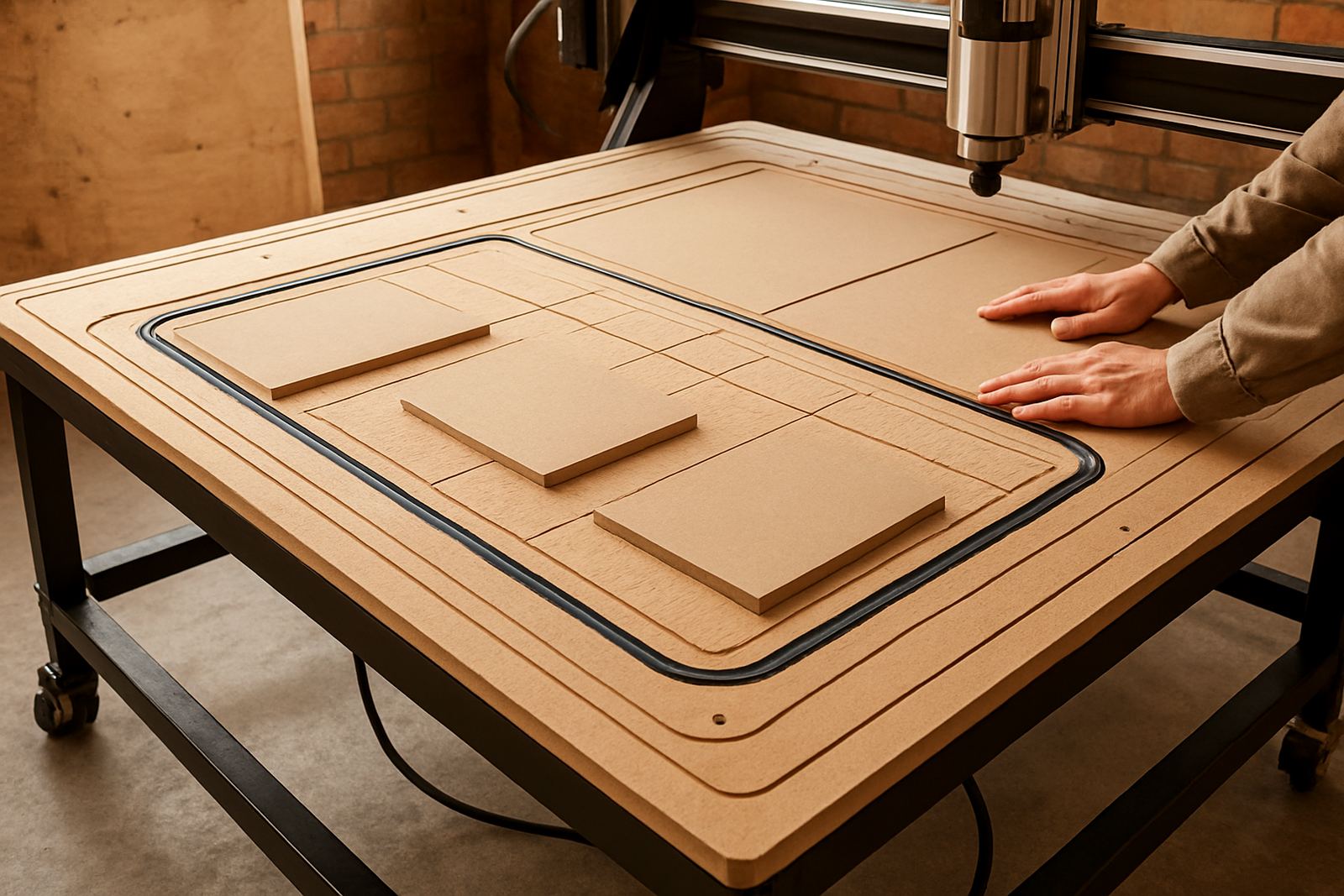
Good vacuum performance starts with a flat, clean seal. The spoil board must be maintained properly, because dents, grooves and dust leaks reduce suction. Sheets should sit flat on the surface with as little gap as possible. If a board is bowed, it may lift in one area and lose hold in another, which can happen quite easily with MDF stored badly.
Before starting a job, do a basic setup check:
- Clean the table and spoil board surface
- Check that hose lines, seals and fittings are intact
- Make sure the panel covers the active zones properly
- Use blanking areas for smaller sheets where needed
- Confirm the pump is reaching normal pressure before cutting
For more secure work, combine vacuum hold down with sensible toolpaths and lower first-pass cutting pressure on thin materials. If you are running during load-shedding recovery or after a power interruption, restart the machine carefully and recheck hold before resuming. That small pause can save a job.
Should You Add One Now or Later?
If your work is growing into regular panel processing, a vacuum table can pay for itself through faster loading, fewer damaged parts and better consistency. If you are still learning software basics, refining your feeds and speeds, or handling mostly mixed one-off jobs, it may be wiser to first get the machine, tooling and workflow sorted before adding more equipment.
A sensible path is to start with the jobs you do most often and measure where the time goes. If clamping is eating into production, or if thin sheets are lifting and shifting, vacuum hold down is worth serious attention. If not, you may get more value from training, a starter setup visit or preventive maintenance first. The right order matters when budgets are tight and power costs keep rising.
For advice on matching hold down to your machine, material and workshop size, CNC Router Hub supports users from Silverton and Pretoria East through to Centurion, Midrand, Kempton Park and nationwide. That includes operator training, remote support and spares planning so the table keeps doing its job once it is installed.