Built for machine-side CNC control
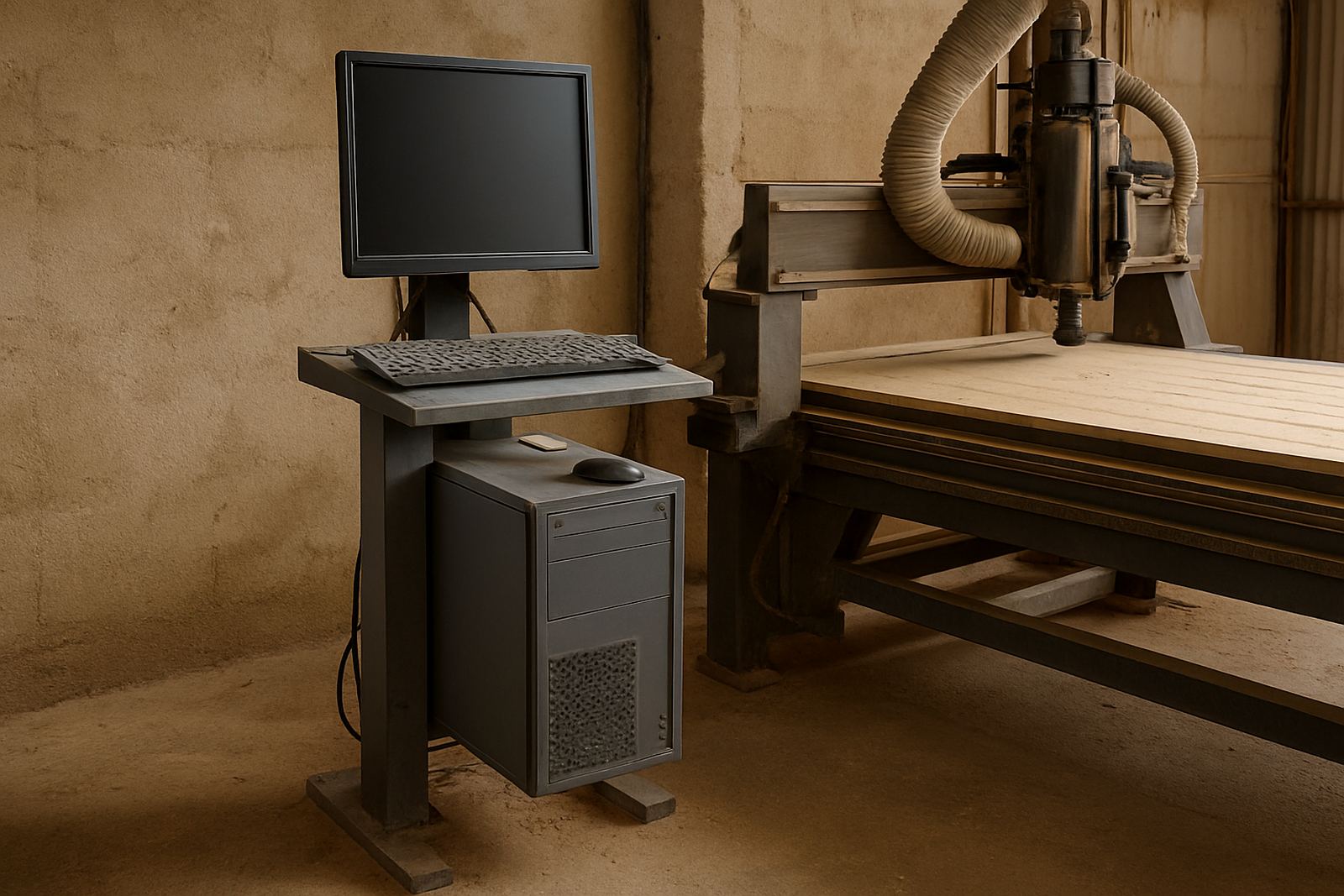
A router control PC is a dedicated computer package used to run the software that drives a CNC router table. It sits at the machine side, handles job loading, toolpath control and machine communication, and is chosen to reduce the stop-start problems that happen when a general office computer is shared between everyday work and production. For small workshops in Silverton, Pretoria East, Centurion and Midrand, that means one dependable unit near the machine, not a laptop moved from job to job.
The package is suitable for hobby users, sign makers, cabinet shops and light production work where the machine is used daily or several times a week. It is especially useful in South Africa where load-shedding, dust and heat can affect equipment left in the workshop. The control PC is selected and configured with that environment in mind, so it can be mounted close to the machine and kept in a cleaner, calmer area of the workshop. It does not require gas, only stable mains power and a proper connection to the CNC controller.
Options and sizes for different workshop spaces
There are a few common configurations depending on the router table, software and the space available around the machine. Some users want a compact unit for a small hobby room or home garage. Others need a stronger workstation for repeated cutting shifts, bigger file sizes or a second screen. The right choice depends on how often the machine runs, how complex the jobs are and whether the control computer will also be used for file preparation.
- Compact control PC for hobby routers and smaller tables
- Mid-range workstation for regular workshop use
- Dual-screen option for setup, preview and machine monitoring
- Wall or stand mounting where floor space is limited
- Remote support ready configuration for easier fault finding
Most buyers ask for a package that can live beside the router without taking too much bench space. A compact tower or small footprint unit is often enough for standard woodworking and MDF work. If the workshop is in a coastal area with humidity, extra care should be taken with placement and airflow because moisture can build up faster than expected, especially in closed rooms.
Typical specifications you can expect
The control PC is normally supplied with a configuration suited to CNC motion software and routine workshop use. Exact parts vary by package, but the aim stays the same: steady operation, fast start-up and simple recovery after a power interruption. In practice that means enough processing power for machine control, enough memory for smooth software use and enough storage for job files and backups. A UPS is often recommended so a brief outage does not interrupt a cut mid-programme.
- Processor suitable for CNC control software
- Solid state drive for quicker start-up and file access
- Minimum 8 GB memory, with higher options available
- USB and communication ports for controller connection
- Windows-based setup for common CNC applications
- Optional Wi-Fi or wired network connection for file transfer
If a workshop runs a spindle, dust extraction and lighting from the same supply, the control PC should be kept on a separate protected circuit where possible. That simple step helps reduce problems caused by voltage dips and nuisance trips. It also makes the machine easier to restart after a municipal power failure or load-shedding event, which is still a practical concern in many parts of Gauteng.
Where this control PC suits best
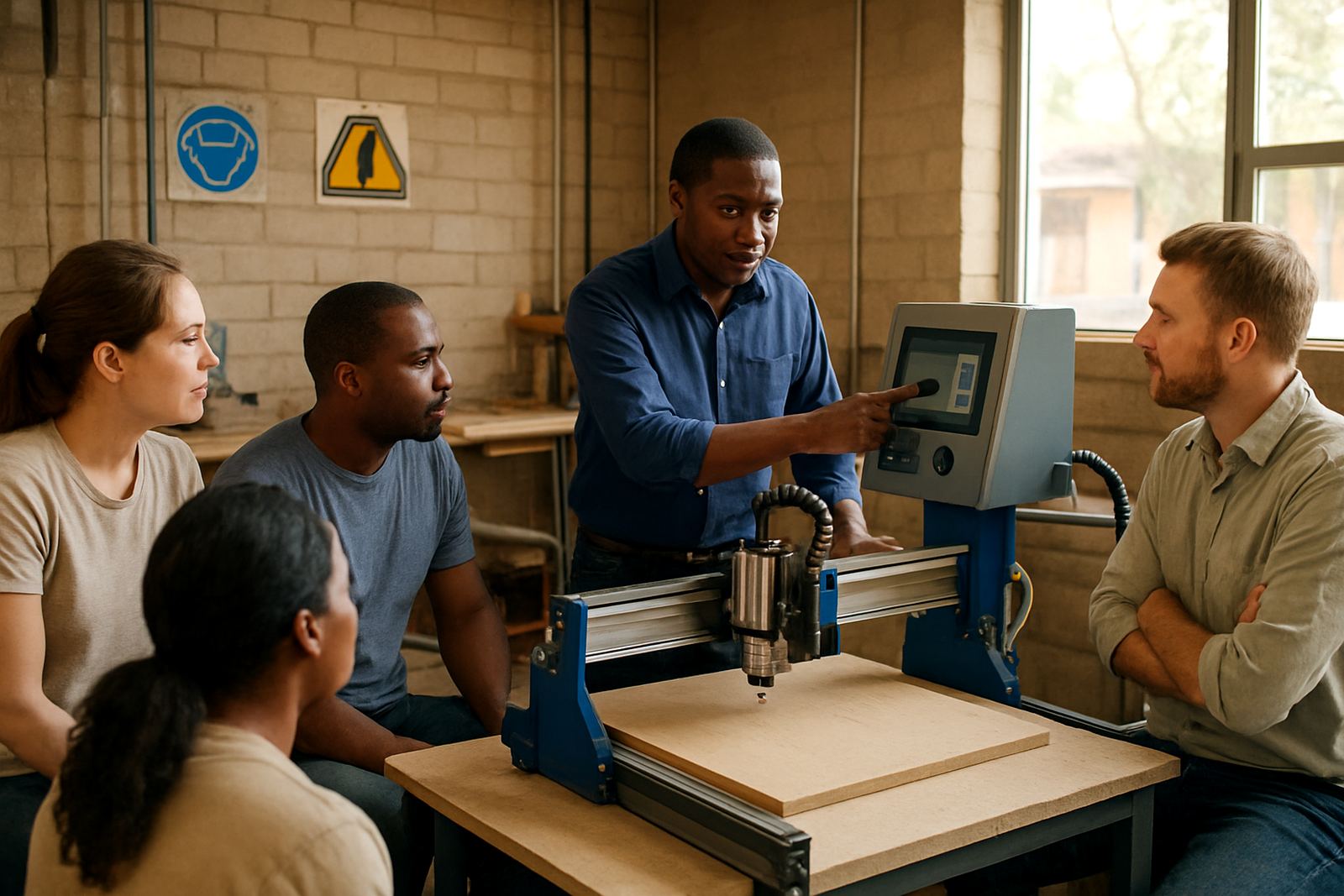
This package suits woodworking, MDF cutting, plastics routing, signage work and small batch panel production. It works well for shops that need the machine side computer to stay in one place and be ready each morning. A control PC is also helpful where the operator training level changes from one person to the next, because a fixed setup is easier to learn and less likely to be altered by mistake.
It is a good fit for:
- Home workshops and hobby users
- Cabinet makers cutting doors, blanks and fittings
- Sign shops working with acrylic and board material
- Training rooms and small production cells
- Sites needing local support and spares access nationwide
For Silverton and Pretoria East customers, collection and setup can be arranged with the machine nearby so the operator can test it under real workshop conditions. For branches and areas further out, the package can be prepared for remote support, which helps when a user needs quick guidance on connection, machine recognition or basic software settings.
Installation, power and workshop conditions
Installation is straightforward, but it needs to be done properly so the computer talks to the controller without interruptions. The control PC should be placed on a stable surface, away from direct dust flow and away from coolant or water points. It should have enough ventilation around the case, and the power cable should run through a protected plug point rather than a loose extension under the machine. A UPS is strongly recommended for South African workshops, because even a short outage can stop a job and waste material.
No gas supply is needed. What matters is reliable electricity, a clean signal path to the controller and a tidy cable route. In many workshops, the best arrangement is a small control station beside the router, with the keyboard, mouse and screen kept within easy reach but not in the line of chips and dust. During summer heat, that bit of spacing helps a lot and saves on callouts later.
Care, servicing and spare parts support
A router control PC needs regular care just like the machine it runs. Keep filters clean, wipe dust from vents, check cables for wear and avoid moving the unit while it is powered on. If the PC is used in a busy production area, it is worth scheduling a quick inspection every few months to confirm that ports, storage and cooling are still working as they should. Small issues caught early usually cost less than a full replacement.
Our support includes spares planning, breakdown support, control tuning, remote support and refresher training. If a part needs replacement, the most common checks are power supply condition, storage health, cable integrity and communication stability. We also assist with preventive maintenance so the control side of the router does not become the weak point in the workshop. In our experience, a clean machine room and consistent operator habits prevent most avoidable faults.
What to check before ordering
Before ordering, it helps to confirm the machine controller type, the software you use, the screen size you want and whether you need a basic setup or a more complete workstation. If the router is already in service, note the current computer model, any connection issues and whether the machine has a spindle, VFD or other control accessories. That information helps us match the package correctly and avoid delays.
- Controller type and connection method
- Software name and version in use
- Required screen size and mounting preference
- Available workshop space at the machine side
- Need for UPS, training or remote support
- Any current faults, slow start-up or USB issues
For customers in Pretoria, Centurion, Midrand and Kempton Park, we can discuss the setup before supply so the control station is practical for the actual workshop layout. If you are ordering for a new machine or replacing an older computer, it helps to send the machine details upfront so the right package can be prepared the first time. That saves time, and it keeps the router moving.
Key facts
| Product type | Dedicated machine-side CNC control computer package |
|---|---|
| Use | CNC router operation for woodworking, MDF and plastics |
| Typical setup | Windows-based control PC with SSD storage |
| Power needs | Standard mains power, UPS recommended |
| Connectivity | USB and controller communication ports |
| Support | Installation guidance, remote support and spares planning |